AI Generated Pics for Dating Apps: What Works and What Looks Fake
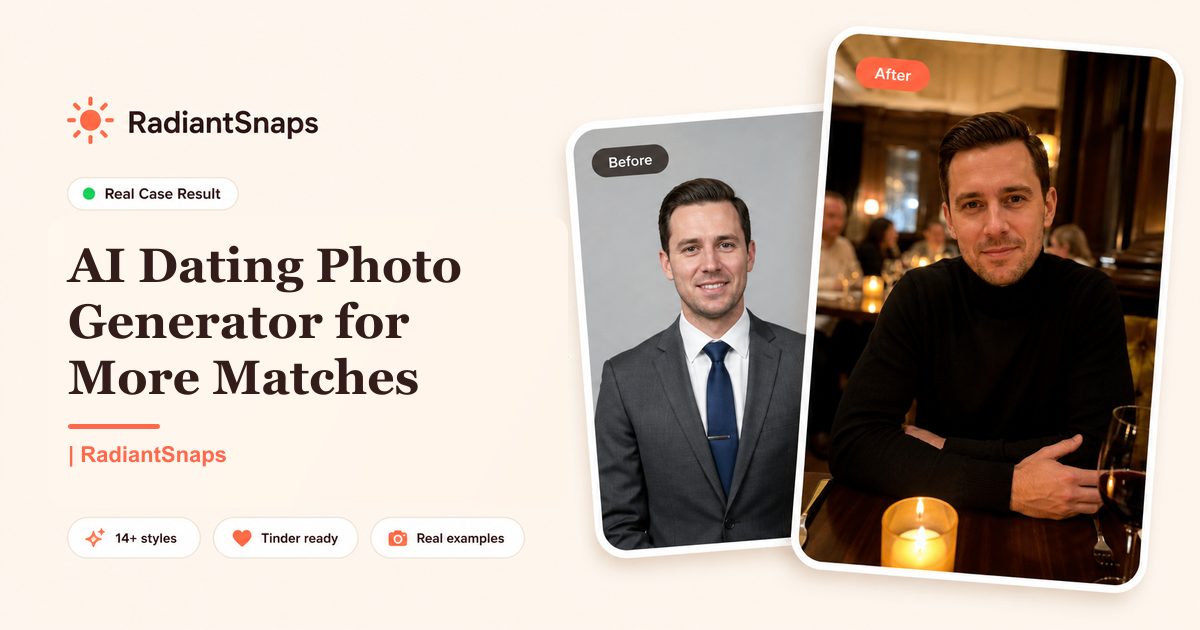
AI generated pics for dating apps can help if your current photos are blurry, outdated, repetitive, or awkwardly cropped. They can also hurt you fast if they look fake. The line is simple: good AI dating photos make you look like yourself on a great day; bad AI dating photos make you look like a different person in a fake lifestyle.
This guide is for Tinder, Bumble, Hinge, and other picture-first dating apps. It explains which AI photos work, which ones get rejected by real users, how to avoid obvious artifacts, and how to build a profile that feels attractive without feeling deceptive.
Deja de ser ignorado (Ghosted).
Convierte tus selfies casuales en perfiles de citas del Top 1% en solo 2 minutos. Consigue los matches que realmente te mereces.


- Entra al panel sin necesidad de tarjeta
- Saldrás con tus fotos en pocos minutos
- Elige entre 11 conceptos ganadores
Key Takeaways
- AI dating photos should be realistic, current, and accurate to your real appearance.
- The best set includes 5 types: portrait, lifestyle, full-body, activity, and dressed-up.
- Avoid photos with plastic skin, strange hands, warped backgrounds, or fantasy settings.
- Do not use AI to change your age, body type, height, or facial structure.
- Test AI photos against real photos, not against your favorite fantasy version of yourself.
- Use AI photos to replace bad images, not to create a fake identity.
Why AI Dating Photos Became Popular
Most people do not have a dating-photo problem because they are unattractive. They have a logistics problem. Their best real-life moments were not photographed well. Friends take blurry pictures. Professional shoots can look staged. Selfies repeat the same angle. Travel photos may be old. Group shots create confusion.
AI generated pics solve 4 practical problems:
- They add variety without scheduling a shoot.
- They improve lighting and framing.
- They create dating-specific contexts.
- They help users test profile styles quickly.
That does not mean every AI photo belongs on your profile. Dating apps are trust markets. If a photo makes someone doubt whether they are seeing the real you, it loses.
The 5 AI Photo Types That Work Best
1. Clear Solo Portrait
This is the most important dating app photo. Your face should be visible, your expression should feel natural, and the background should not distract. The portrait should look like something a friend could have taken with a good camera.
Use it for:
- Tinder first photo.
- Hinge first or second slot.
- Bumble primary photo.
Avoid:
- Over-smoothed skin.
- Dramatic model lighting.
- Corporate headshot energy.
- Perfect symmetry that looks artificial.
2. Lifestyle Full-Body Photo
A full-body or half-body photo builds trust. It reduces uncertainty and makes your profile feel more honest. The key is context: walking outside, sitting at a cafe, standing at an event, or doing something normal.
Avoid body transformation. If your AI photo changes your weight, height, hairline, or body shape beyond reality, it becomes misleading. Your date should recognize you instantly.
3. Activity or Hobby Photo
Dating apps reward conversation hooks. A hobby photo gives someone a reason to comment beyond "hey." Good examples include cooking, hiking, guitar, tennis, cycling, art galleries, coffee, travel, or a dog-friendly outdoor scene.
The activity should match your actual life. If you never hike, do not make your profile look like a mountaineering ad. If you cook once a month, a casual kitchen shot is fine. Authenticity beats fantasy.
4. Dressed-Up Photo
A dressed-up image shows date-night potential. It does not need to be a suit. It can be a clean shirt, fitted jacket, nice dinner outfit, or event look. This photo answers the quiet question: "Could I imagine going somewhere with this person?"
Keep it natural. A tuxedo on a private yacht might look impressive, but it can also look fake or try-hard if that is not your life.
5. Casual Personality Photo
This is the photo that makes the profile feel human. Maybe you are laughing at a table, holding coffee, sitting with a dog, or walking through a city. It does not have to be the most attractive photo. It has to make you feel approachable.
AI Photo Red Flags That Make People Swipe Left
People are getting better at spotting AI images. Avoid these signs:
- Hands with extra fingers or melted shapes.
- Teeth that look too uniform.
- Eyes that point in slightly different directions.
- Glasses that bend incorrectly.
- Jewelry or buttons that blur into clothing.
- Background signs with unreadable text.
- Skin with waxy texture.
- Clothes that merge into chairs or arms.
- Lighting on the face that does not match the room.
- Unrealistic luxury settings.
Review every image at full size before uploading. If you notice the artifact, someone else will too.
How Many AI Photos Should You Use?
Use a mixed set if you have strong real photos. A safe profile can include 2 to 4 AI-generated photos plus 1 to 2 real candid photos. If all 6 images are AI, they need to be extremely realistic and varied enough to look like different real-life moments.
For most users:
| Profile setup | Recommended AI photos | Real photos |
|---|---|---|
| Weak current profile | 4 to 6 | 0 to 2 |
| Average current profile | 2 to 4 | 2 to 4 |
| Strong current profile | 1 to 2 | 4 to 5 |
The goal is not to disclose the production method in every image. The goal is to avoid misrepresentation.
Tinder vs Bumble vs Hinge: Different Photo Strategy
Tinder
Tinder is fast and first-photo heavy. Use your strongest solo portrait first, then a full-body lifestyle image. Read best Tinder photos for guys if Tinder is your main channel.
Bumble
Bumble needs trust and warmth. Add photos that make it easy for someone to imagine starting a conversation or setting a date. Avoid anything that feels too aggressive or overly edited.
Hinge
Hinge photos should create comments. A beautiful but generic photo may do less than a slightly less polished photo with a great hook. If Hinge is not working, start with no matches on Hinge.
AI Dating Photo Checklist
Before uploading, score each photo from 0 to 2:
- Face looks like me.
- Age looks accurate.
- Body type looks accurate.
- Lighting looks natural.
- Background looks real.
- Hands and teeth look normal.
- Outfit matches my real style.
- Photo gives a dating-relevant signal.
- Photo adds something new to the lineup.
- I would not feel awkward if a date mentioned it.
- Score 16 or higher: use it.
- Score 12 to 15: test it as a secondary photo.
- Score under 12: reject it.
How to Test AI Photos Without Guessing
Do not upload 6 new AI photos and declare victory after one day. Test in batches.
Week 1:
- Replace only photo 1.
- Keep bio and filters the same.
- Track likes and matches for 7 days.
Week 2:
- Add 2 secondary AI photos.
- Remove the weakest old selfies.
- Track match quality, not just quantity.
Week 3:
- Test an activity photo or dressed-up photo.
- Compare conversations started from photo comments.
This controlled approach helps you learn whether the AI photos improved conversion or just changed your profile vibe.
Where RadiantSnaps Fits
RadiantSnaps is built specifically for dating profiles, not corporate headshots. That matters because a LinkedIn-style photo can be technically sharp and still perform badly on Tinder or Hinge. Dating photos need warmth, context, variety, and believable lifestyle signals.
Use RadiantSnaps when you need:
- A stronger first photo.
- More lifestyle variety.
- Hinge comment hooks.
- Tinder photos that feel less like selfies.
- Bumble photos that feel trustworthy and warm.
For tool comparisons, read best AI dating photo generators.
Frequently Asked Questions
Are AI dating photos catfishing?
They can be, but they do not have to be. If the photos accurately represent your face, age, body type, and style, they are closer to a professional photo upgrade. If they invent a different version of you, they become misleading.
Should I tell matches my photos are AI-generated?
You do not need to lead with the production method if the photos are accurate. If someone asks directly, be honest and casual. The safest answer is that you used a tool to create better dating photos from real images of yourself.
Can AI photos get reported?
They can if they look fake, misleading, or impersonating someone else. Use realistic outputs, avoid deception, and do not upload images that violate app guidelines or make people feel tricked.
Bottom Line
AI generated pics for dating apps work when they solve a real photo problem: bad lighting, low variety, weak first impression, or no conversation hooks. They fail when they create a fake lifestyle or unrealistic appearance. Use AI to look like the best real version of yourself, then test the photos like a performance asset.
When the photos feel believable, current, and easy to comment on, they stop being "AI pics" and start being a better dating profile.
Sources: Tinder overview, Bumble overview, RadiantSnaps AI dating photo generators
Preguntas Frecuentes
- Can you use AI generated pics for dating apps?
- Yes, but they should accurately represent you. AI dating photos work best when they improve lighting, framing, background, and variety while preserving your real face, age, body type, and overall appearance.
- Do AI dating photos look fake?
- Low-quality AI dating photos can look fake because of plastic skin, distorted hands, strange teeth, mismatched lighting, or unrealistic backgrounds. Higher-quality tools produce more natural photos, but every image should still be reviewed before uploading.
- What AI photos should I use on Tinder, Bumble, or Hinge?
- Use a clear portrait, a full-body lifestyle shot, a dressed-up photo, an activity photo, and one casual personality shot. Avoid fantasy scenes, over-edited faces, and anything that makes a first date feel misled.