Head outside 29–34 mm
Chin to crown must fall between 29 and 34 mm. This is the single most common rejection — arm's-length selfies almost always leave the head too small.
 RadiantSnaps
 Google rating

Upload a selfie and get a UK passport size photo online in 3 minutes — 45 mm high by 35 mm wide, head 29–34 mm, cream or light grey background and the 600 × 750 px digital file HM Passport Office asks for.
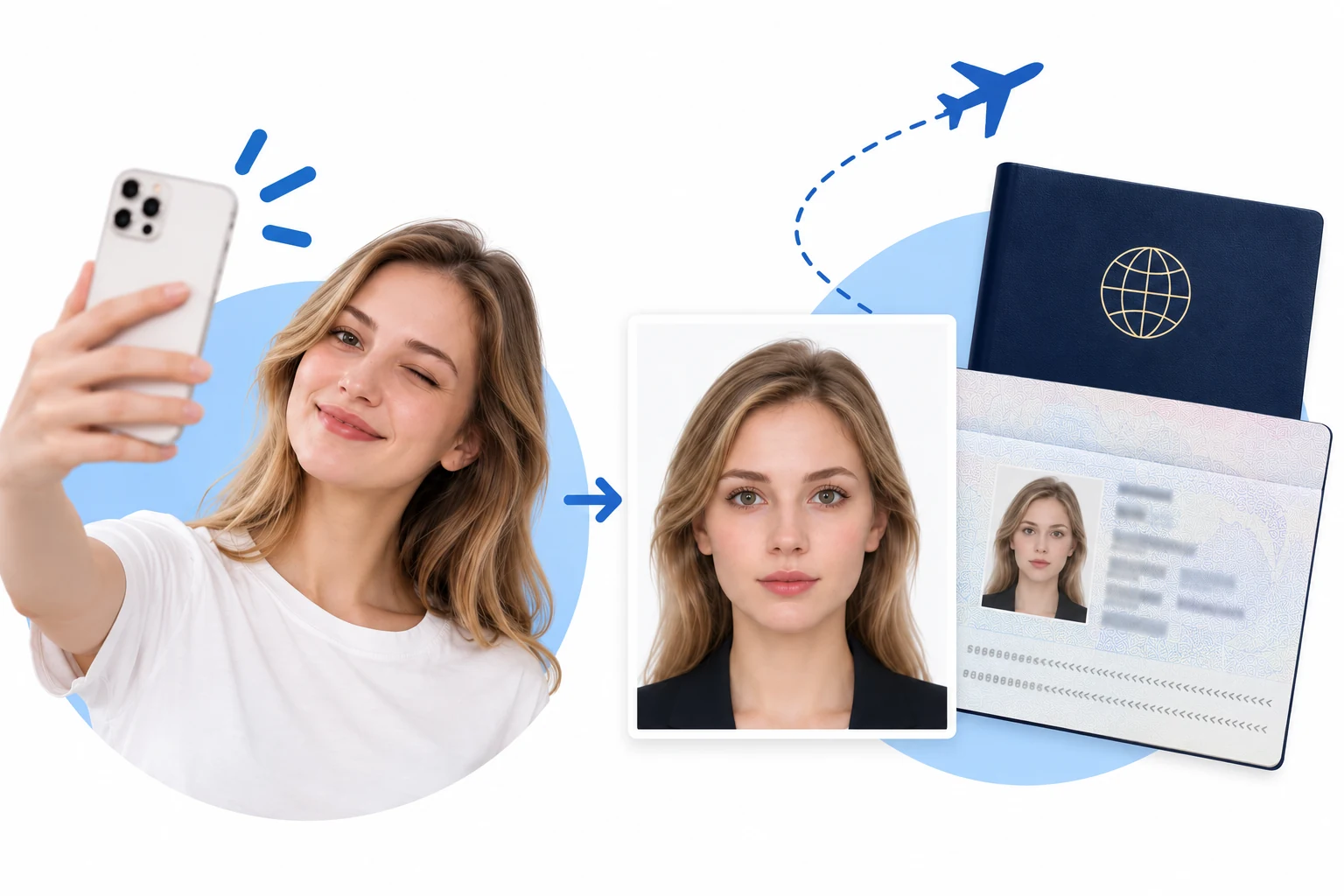
HM Passport Office uses this same specification for UK visas, driving licences and biometric residence permits — one compliant photo covers them all.
Your photo must have a plain light-coloured background, with no patterns, objects or scenery behind you and no shadows.
— GOV.UK — Get a passport photo (HM Passport Office)
Compiled 24 September 2026 from HM Passport Office guidance at gov.uk/photos-for-passports.
HM Passport Office screens photos with an automated check before a human ever sees them. These are the failures that stop an application cold.
Chin to crown must fall between 29 and 34 mm. This is the single most common rejection — arm's-length selfies almost always leave the head too small.
Pure white is the US convention, not the UK one. The automated checker reads the outline of your head and shoulders, so use plain cream or light grey and keep it shadow-free.
You need a plain expression with your mouth closed and both eyes open and clearly visible. Hair across the eyes, red-eye and a slight smile all get flagged.
Unlike many countries that allow six months, HM Passport Office requires a photo taken within the last month — even for a renewal where you look unchanged.
Create your online passport photo in 3 minutes.
One photo. The right size. A clean background.
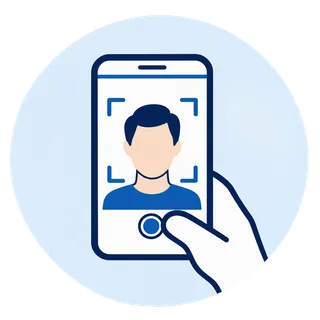
Start with a clear portrait
Upload a recent, front-facing photo. Keep your full head and shoulders visible.
Automatic size, positioning & background
Choose your document. The system automatically adjusts photo dimensions, subject positioning and background to the selected format.
Check, then save or print
The system checks your photo against the selected application requirements. Once it passes, save or print it. Final acceptance rests with the issuing authority.
Built around the HM Passport Office photo rules, so the automated check on your online application has nothing to trip over.
Every download matches the UK size — 45 mm high by 35 mm wide with your head between 29 and 34 mm from chin to crown, which is 70 to 80 per cent of the frame.
Before you download, your photo is screened against the UK passport photo requirements: head height, background colour, shadows, glasses and expression.
You get the 600 × 750 px JPEG for the online application plus a borderless print sheet at photo quality for a paper LS01 form — no second trip.
Photo-Me booths and Tesco counters mean travelling during opening hours and paying per set. Here you take one selfie at home and are done in about three minutes.
Photo privacy & security ↗“Renewed online and the digital file uploaded first time. The 45 × 35 mm sizing and head height were already right — I did not measure anything.”
“Booked nothing, travelled nowhere. My nearest Photo-Me is across town and would have cost more for one attempt at a straight face.”
“My first selfie had the head too small — arm's length, apparently. It told me the head needed to be 29 to 34 mm and why, second try passed.”
“Pure white background would have been wrong for the UK, I had no idea cream or light grey was what they wanted. Good thing it flagged that.”
“Used it for my son's first passport. Under-six rules mean he did not have to look at the camera, which saved a lot of fuss.”
“Needed prints for the paper form and a file for my driving licence. Got both from one photo, no extra cost and it looks like me.”
Straight answers on the UK passport photo size, background colour, babies and children, printing, and how this compares with a High Street booth.
A printed UK passport photo is 45 mm high by 35 mm wide, with your head measuring 29–34 mm from chin to crown — roughly 70–80 per cent of the photo's height. RadiantSnaps sizes and checks every photo against these figures, so nothing has to be measured by hand.
Plain cream or light grey. Pure white is technically accepted but is the convention for US photos rather than UK ones, and it gives the automated checker too little contrast to read the outline of your head and shoulders. Avoid patterns, objects, other people and any shadow.
It depends on how you apply. Online applications take a digital file only — at least 600 × 750 pixels, JPEG, between 50 KB and 10 MB. Paper applications use the LS01 form and need two identical borderless prints on photo-quality paper, one of which may need countersigning on the back. This page gives you both.
A photo code — also called a digital photo code or IDPC — is a reference issued by a booth or shop that lets HM Passport Office pull your photo into an online application automatically. It is optional: you can upload a compliant digital file yourself instead, which is free. Codes expire, so use one promptly if you have it.
No smiling — keep a plain expression with your mouth closed and both eyes open. Glasses are best taken off; if you must wear them, there can be no glare, reflection or shadow over the eyes and no tinted lenses.
Within the last month. This is stricter than most countries, which allow six months, and it applies even to renewals where your appearance has not changed — an older reused photo will be rejected.
The child must be alone in shot with nothing covering the face and no toys or dummies. Children under six do not have to look straight at the camera or hold a neutral expression, and babies under one do not need their eyes open — lay them on a plain light-coloured sheet and photograph from above, keeping hands out of frame.
Both are legitimate routes, but both mean travelling during opening hours and paying per set of prints — and a booth gives you one attempt at the expression. Taking it here costs less, takes about three minutes, and the head height and background are checked before you download rather than after you have paid.
Yes. UK visas, driving licences, Biometric Residence Permits and PASS identity cards all use the same 45 × 35 mm specification with the same head height, so one compliant photo covers them. Non-UK authorities set their own sizes — pick that country in the selector instead.
Width × height. Resolution and background reflect what this tool outputs; the official link points at the issuing authority.
| Country | Size | Resolution | Background | Official guidance |
|---|---|---|---|---|
| U.S. Passport | 2 × 2 in (51 × 51 mm) | High resolution; no numeric DPI specified | White or off-white | Official |
| UK Passport | 35 × 45 mm (print) | At least 600 × 750 px (online) | Plain, light-coloured | Official |
| Canada Passport | 50 × 70 mm | Sharp print; no numeric DPI specified | White or light-coloured | Official |
| Australia Passport | 35–40 mm wide × 45–50 mm high | Quality print; no numeric DPI specified | White or light grey | Official |
| India Passport | Portrait, 7:9 ratio | 630 × 810 px | White | Official |
| China Passport | 33 × 48 mm (print) | JPEG; no pixel count or DPI stated in this guide | White | Official |
| France Passport | 35 × 45 mm | Sharp photo; no numeric DPI specified | Light blue or light grey; not white | Official |
| Japan Passport | 35 × 45 mm (print) | 600 × 730 px (MynaPortal) | Plain, without shadows | Official |
| Singapore Passport | Portrait, 400:514 ratio | 400 × 514 px recommended | White; light grey for white hair | Official |
| New Zealand Passport | Portrait, 3:4 ratio | 900–4500 × 1200–6000 px | Plain, light-coloured | Official |
“Taken within the last 6 months to reflect your current appearance.”
— U.S. Department of State — Passport photo requirements
Compiled 22 September 2026 by the RadiantSnaps team against official guidance. Entries without an official link have no confirmed government page yet; always follow your issuing authority.