At home, on your schedule
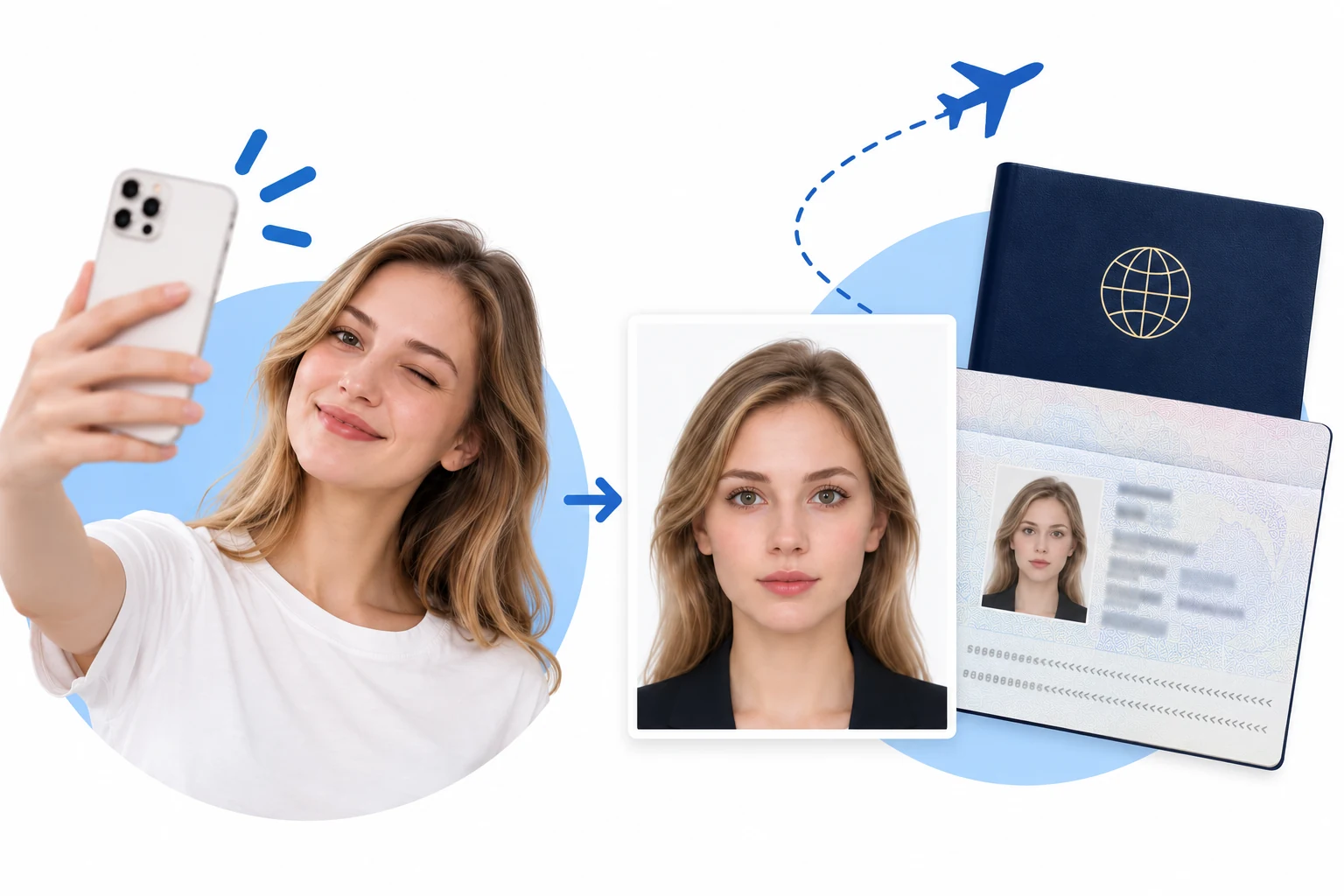
No appointment or trip to a photo studio. Start with a photo from your phone.
 RadiantSnaps
 Google rating

Upload a selfie and create a passport photo with the right size and background that meets official requirements in just 3 minutes.
 U.S. Passport
 UK Passport
 Canada Passport
 Australia Passport
 India Passport
 China Passport
 Germany Passport
 France Passport
 Japan Passport
 South Korea Passport
 Russia Passport
 Sweden PassportU.S. PassportUK PassportCanada PassportAustralia PassportIndia PassportChina PassportU.S. PassportUK PassportCanada PassportAustralia PassportIndia PassportUK Passport
Create your online passport photo in 3 minutes.
One photo. The right size. A clean background.
Start with a clear portrait
Upload a recent, front-facing photo. Keep your full head and shoulders visible.

Automatic size, positioning & background
Choose your document. The system automatically adjusts photo dimensions, subject positioning and background to the selected format.
Check, then save or print
The system checks your photo against the selected application requirements. Once it passes, save or print it. Final acceptance rests with the issuing authority.
A simpler way to prepare your photo, wherever your next trip takes you.
No appointment or trip to a photo studio. Start with a photo from your phone.
Cropping and background removal preserve your original facial features.
Review head height, eye position and photo dimensions before downloading.
Photo processing runs on your device. Your original photo is not uploaded.
Photo privacy & security ↗The right size is only the beginning. These issues may need a new photo, not another crop.
Cropping cannot restore missing detail. Start again with a sharp, recent, unfiltered portrait.
Retake the photo with room around your head and shoulders. Do not generate missing body parts.
Face soft, even light. Follow your authority’s rules for glasses, head coverings and expression.
Printed and online applications can use different specifications. Check the document, dimensions, pixels and file format.
Width × height. Resolution and background reflect what this tool outputs; the official link points at the issuing authority.
| Country | Size | Resolution | Background | Official guidance |
|---|---|---|---|---|
| U.S. Passport | 2 × 2 in (51 × 51 mm) | High resolution; no numeric DPI specified | White or off-white | Official |
| UK Passport | 35 × 45 mm (print) | At least 600 × 750 px (online) | Plain, light-coloured | Official |
| Canada Passport | 50 × 70 mm | Sharp print; no numeric DPI specified | White or light-coloured | Official |
| Australia Passport | 35–40 mm wide × 45–50 mm high | Quality print; no numeric DPI specified | White or light grey | Official |
| India Passport | Portrait, 7:9 ratio | 630 × 810 px | White | Official |
| China Passport | 33 × 48 mm (print) | JPEG; no pixel count or DPI stated in this guide | White | Official |
| France Passport | 35 × 45 mm | Sharp photo; no numeric DPI specified | Light blue or light grey; not white | Official |
| Japan Passport | 35 × 45 mm (print) | 600 × 730 px (MynaPortal) | Plain, without shadows | Official |
| Singapore Passport | Portrait, 400:514 ratio | 400 × 514 px recommended | White; light grey for white hair | Official |
| New Zealand Passport | Portrait, 3:4 ratio | 900–4500 × 1200–6000 px | Plain, light-coloured | Official |
“Taken within the last 6 months to reflect your current appearance.”
— U.S. Department of State — Passport photo requirements
Compiled 22 September 2026 by the RadiantSnaps team against official guidance. Entries without an official link have no confirmed government page yet; always follow your issuing authority.
Practical answers about passport photo size, digital uploads, backgrounds and printing.
Creating a passport photo online is simple! First, take a clear, front-facing selfie where your full head and shoulders are visible. Then, upload this photo on the website. After that, choose the type of passport you need, and the system will automatically adjust the size and background of your photo to match the requirements. Finally, review your photo to make sure it meets the standards before saving or printing it.
Different countries have different passport photo sizes. For example, in the United States, the photo must be 2 x 2 inches, while in the UK, it should be 35 x 45 mm. Always check the requirements for the specific country you are applying to, as this will help you prepare the correct size.
Yes, you can take a passport photo with your smartphone! However, it's best to have someone take the photo for you from eye level, as selfies can sometimes distort your face. Make sure the photo is clear and unfiltered to avoid any issues with your application.
It's important to check the rules of your issuing authority. Some countries allow digital background changes, but others, like the U.S. and France, require the photo to have a natural background at the time of capturing. Always try to take the photo in a suitable environment to meet these requirements.
If your passport photo is rejected, common issues might include shadows, blurriness, or the wrong head size. Instead of trying to fix these problems with editing, it's best to retake the photo with these guidelines in mind. Always refer to the official examples for your specific application.
Making a passport photo online can take as little as 3 minutes! After uploading your photo and selecting your passport type, the system does most of the work. Just ensure to double-check the requirements before downloading or printing.
Yes, it's generally safe to upload your photo online for passport photo services. Most reputable services process the image on your device, meaning your original photo is not uploaded to their servers, ensuring your privacy.
Not necessarily! Many people successfully create passport photos at home using their smartphones. However, some countries, like Canada, do require a professional photographer. Always check the specific requirements for your country.
Before you save or print your passport photo, the online service will check it against the official requirements for the type of passport you are applying for. You should also review aspects like head size, eye position, and the overall dimensions.
When taking a passport photo, avoid using filters, ensuring that there are no shadows or glare on your face. Additionally, make sure your head is centered in the photo and that you have enough space around your head and shoulders.
“Honestly, this was much easier than I expected. I took the photo at home, adjusted it using the guides, and had everything ready in just a few minutes.”
“The size and positioning guides were really helpful. I could see what needed fixing right away instead of guessing whether the photo would meet the requirements.”
“I was a little worried the editing would make the photo look unnatural, but it still looks completely like me. It just fixed the framing and dimensions, which is exactly what I wanted.”
“Saved me a trip to a photo studio. I took a few pictures on my phone, picked the best one, and got the passport format sorted at home.”
“Simple and straightforward. The final check made it much easier to confirm the crop, head position, and spacing before I saved the photo.”
“I’ve tried other passport photo tools before and they felt way more complicated. This one was quick, clear, and didn’t over-edit my face. The finished photo still looked natural.”