Wrong head size
The head must measure 1–1⅜ inches from chin to crown. Too close or too far away and the application bounces.
 RadiantSnaps
 Google rating

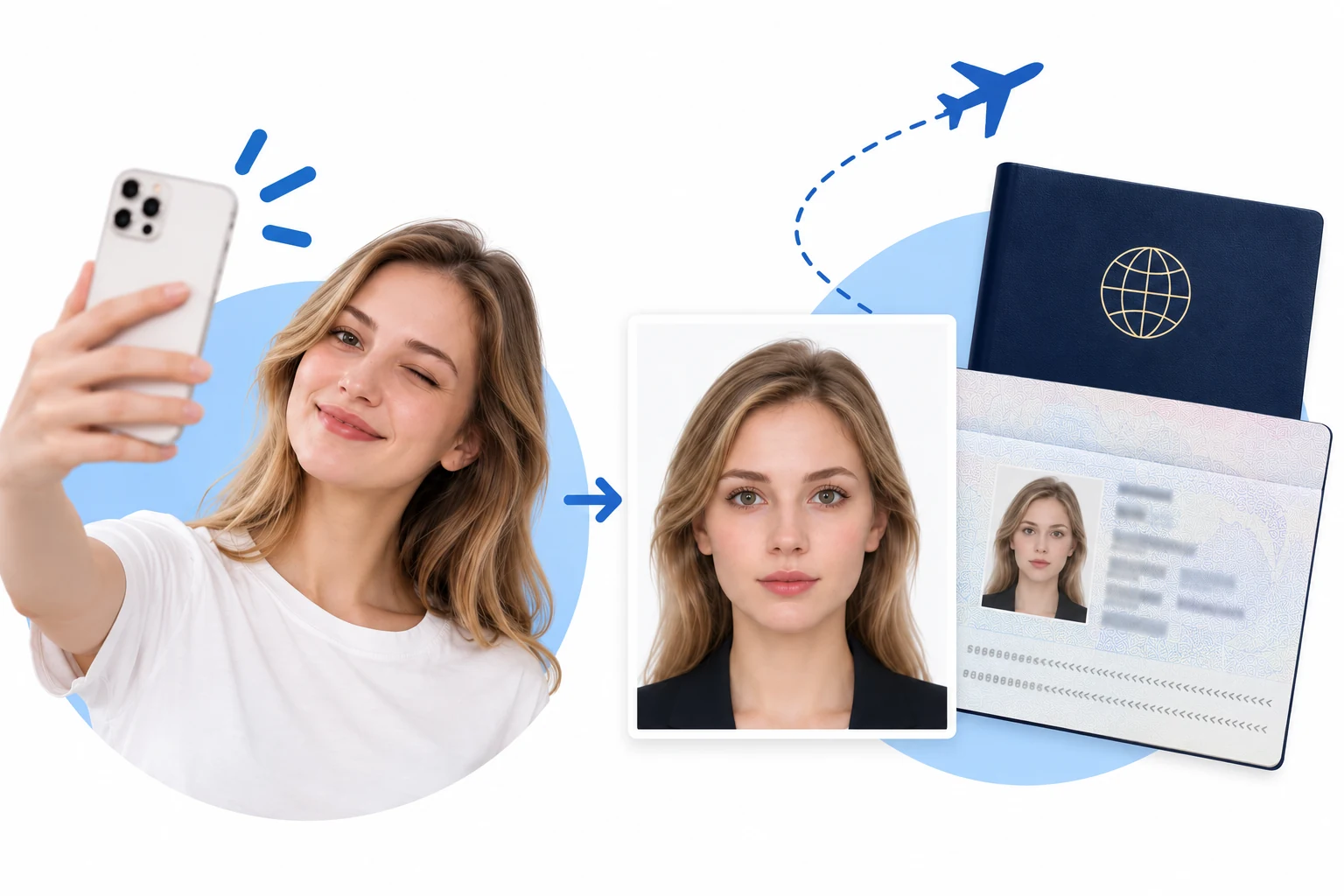
Upload a selfie and get a compliant US passport photo online in 3 minutes — exact 2×2 inch size, plain white background, official rules checked.
The official rules every US passport photo must follow — yours is checked against each one automatically.
Taken within the last 6 months to reflect your current appearance.
— U.S. Department of State — Passport photos
Compiled 24 September 2026 from U.S. Department of State photo guidance at travel.state.gov.
The State Department rejects photos for reasons no crop can fix. Every one of these is screened before you download.
The head must measure 1–1⅜ inches from chin to crown. Too close or too far away and the application bounces.
Glasses have not been allowed in US passport photos since 2016 — even without glare. Take them off before you shoot.
Uneven light leaves shadows the acceptance check flags immediately. Shoot facing a bright window or under soft, even light.
Keep a neutral expression with both eyes open. Filters, retouching and red-eye fixes are all grounds for rejection.
Create your online passport photo in 3 minutes.
One photo. The right size. A clean background.

Start with a clear portrait
Upload a recent, front-facing photo. Keep your full head and shoulders visible.

Automatic size, positioning & background
Choose your document. The system automatically adjusts photo dimensions, subject positioning and background to the selected format.
Check, then save or print
The system checks your photo against the selected application requirements. Once it passes, save or print it. Final acceptance rests with the issuing authority.
Built around the U.S. State Department's photo rules, so your application moves through without surprises.
Every download matches the official US passport photo dimensions — 2 × 2 inches with the head between 1 and 1⅜ inches.
Before you pay, your photo is screened against the published US passport photo requirements: head size, background, glare and expression.
Get the 600 × 600 px digital file for online applications plus a print sheet at photo quality for the post office.
Processing runs on your own device — your photo is never uploaded to our servers.
Photo privacy & security ↗“Renewed my passport online and the digital file uploaded on the first try. The 2 × 2 inch sizing was handled for me — no guessing at the crop.”
“Compared this with CVS — faster, cheaper, and I never left the house. The checker caught the shadow on my first attempt and told me how to fix it.”
“Applied for my daughter's first passport. The rules for babies are strict, but the guides made it easy to get her head position right.”
“The 600 × 600 digital copy went straight into the DS-82 form. Took about three minutes on my lunch break.”
“My drugstore passport photo got rejected for glare on my glasses. This time the rules were checked before I downloaded — approved, no issues.”
“Used it for both my passport and my visa photos. Same 2 × 2 format, done at home, and it still looks like me.”
Straight answers about the US passport photo size, the digital file, renewals and how this compares to the pharmacy counter.
A US passport photo must be exactly 2 × 2 inches (51 × 51 mm), with your head between 1 and 1⅜ inches from chin to crown, centered on a plain white or off-white background. RadiantSnaps sizes every photo to these US passport photo dimensions automatically — you never have to crop by hand.
The photo must be taken within the last 6 months, in color, against a plain white or off-white background. You need a neutral expression with both eyes open, no glasses, and no head covering unless it is worn for religious or medical reasons. Prints go on photo-quality paper; online applications take the digital file instead.
The digital file must be square and at least 600 × 600 pixels, saved as a 24-bit color JPEG. Every download from RadiantSnaps already meets these digital passport photo specs, so you can upload it to the online application as-is.
Yes. Passport renewals — by mail with Form DS-82 or through the online renewal pilot — use the same 2 × 2 inch photo rules as first-time applications, so a photo made here works for your renewal without changes.
Yes. US visa photos follow the same 2 × 2 inch, white-background format as passport photos. Pick the US visa document in the selector and the same sizing rules are applied.
Pharmacies like CVS and Walgreens charge $15 or more for a set of prints and mean a trip during opening hours. Here you take one selfie at home and get the compliant 2 × 2 inch photo plus the digital file in about 3 minutes, for a fraction of the price.
Your phone is enough. Have someone shoot you from eye level (or prop the phone up), stand facing a bright window for even light, and keep a neutral expression. The app handles the US passport photo size, background and head positioning from there.
The most common reasons are head size, shadows, glasses and edited faces — none of them fixable by cropping. RadiantSnaps runs a compliance check against the official US passport photo requirements before you download, so problems surface while they are still cheap to fix.
Width × height. Resolution and background reflect what this tool outputs; the official link points at the issuing authority.
| Country | Size | Resolution | Background | Official guidance |
|---|---|---|---|---|
| U.S. Passport | 2 × 2 in (51 × 51 mm) | High resolution; no numeric DPI specified | White or off-white | Official |
| UK Passport | 35 × 45 mm (print) | At least 600 × 750 px (online) | Plain, light-coloured | Official |
| Canada Passport | 50 × 70 mm | Sharp print; no numeric DPI specified | White or light-coloured | Official |
| Australia Passport | 35–40 mm wide × 45–50 mm high | Quality print; no numeric DPI specified | White or light grey | Official |
| India Passport | Portrait, 7:9 ratio | 630 × 810 px | White | Official |
| China Passport | 33 × 48 mm (print) | JPEG; no pixel count or DPI stated in this guide | White | Official |
| France Passport | 35 × 45 mm | Sharp photo; no numeric DPI specified | Light blue or light grey; not white | Official |
| Japan Passport | 35 × 45 mm (print) | 600 × 730 px (MynaPortal) | Plain, without shadows | Official |
| Singapore Passport | Portrait, 400:514 ratio | 400 × 514 px recommended | White; light grey for white hair | Official |
| New Zealand Passport | Portrait, 3:4 ratio | 900–4500 × 1200–6000 px | Plain, light-coloured | Official |
“Taken within the last 6 months to reflect your current appearance.”
— U.S. Department of State — Passport photo requirements
Compiled 22 September 2026 by the RadiantSnaps team against official guidance. Entries without an official link have no confirmed government page yet; always follow your issuing authority.